Why Gizmonote
-
The link is yours, not a third party's
Share a review and the URL stays on your own site and domain, never a handoff to an outside tool. Clients open your real build at your address, not a page parked on someone else's service. -
Comment on the real build, not a screenshot
You leave notes on the actual site in a real browser, not a flattened image or a third-party app's iframe window. No more one tab for a markup tool and another for the live build, flipping between them all day. The notes and the real thing sit in one place. -
A home for your concepts until you pick the real one
Every concept and version gets a review indexto live in, a clean gallery clients can browse, right up until you settle on the permanent home page. It doubles as a coming-soon page that actually earns its spot.
Solutions
Review a client's site privately, on their own domain, before they ever see a note.
-
Comment privately in live mode
Add the loader to a live client site and it has zero effect on a normal visit. Only someone who knows to add #gizmoto the URL sees the layer, so your team can review and comment privately, invisibly to the client. -
Reply back and forth on any note
Notes are threads, not one-shots. Answer a client's comment, ask a follow-up, attach a reference, and settle the detail right on the note; the whole back-and-forth stays with the pin instead of scattering across email. -
No third-party link to hand over
Reviews live on your client's own site and domain, not a page parked on an outside tool. Nothing that looks like it isn't yours. -
One gallery for a concept round
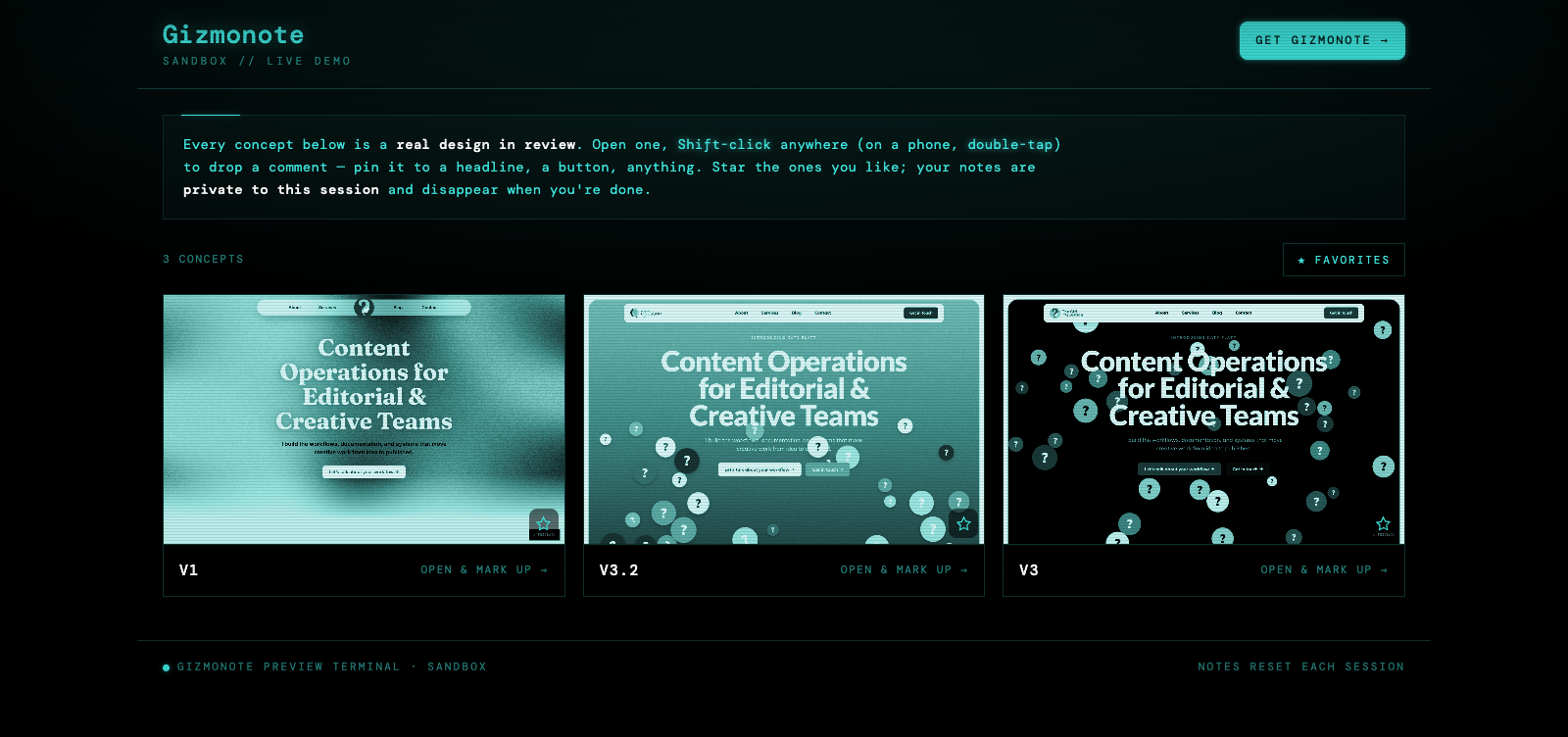
Drop every concept and version into a private, terminal-style review index. The client browses the set, stars favorites, and leaves notes in one place.
One tag, notes on the real build, and comments you can paste straight into your AI editor.
-
Option-click to comment, no mode-switching
Hold Option(Alt on Windows) and click anywhere to drop a note, then let go and keep using the site normally. You move between clicking around your app and leaving feedback seamlessly; no toggles to flip, no "enter review mode" to remember. -
Notes dissolve so your screen stays clean
The Option-key method fades the pins away on their own the moment you let go, so the page is never crowded with markers while you work. Hold Optionagain whenever you want them back. -
Send the notes straight to your AI agent
Copy every note out as clean text and paste it into Cursor, Claude Code, or Copilotto action the edits. The comments read like a task list your agent can just run. -
The real running app, not a screenshot
Comment on the actual build in a real browser, live state and real breakpoints, not a flattened image or a third-party iframe. One script tag, any app or site.
Get everyone's notes on a staging build, without accounts or seats.
-
No login to view or comment
Anyone with the link can browse and leave notes. No accounts, no seats; share a build and the feedback starts. -
Keep a build private
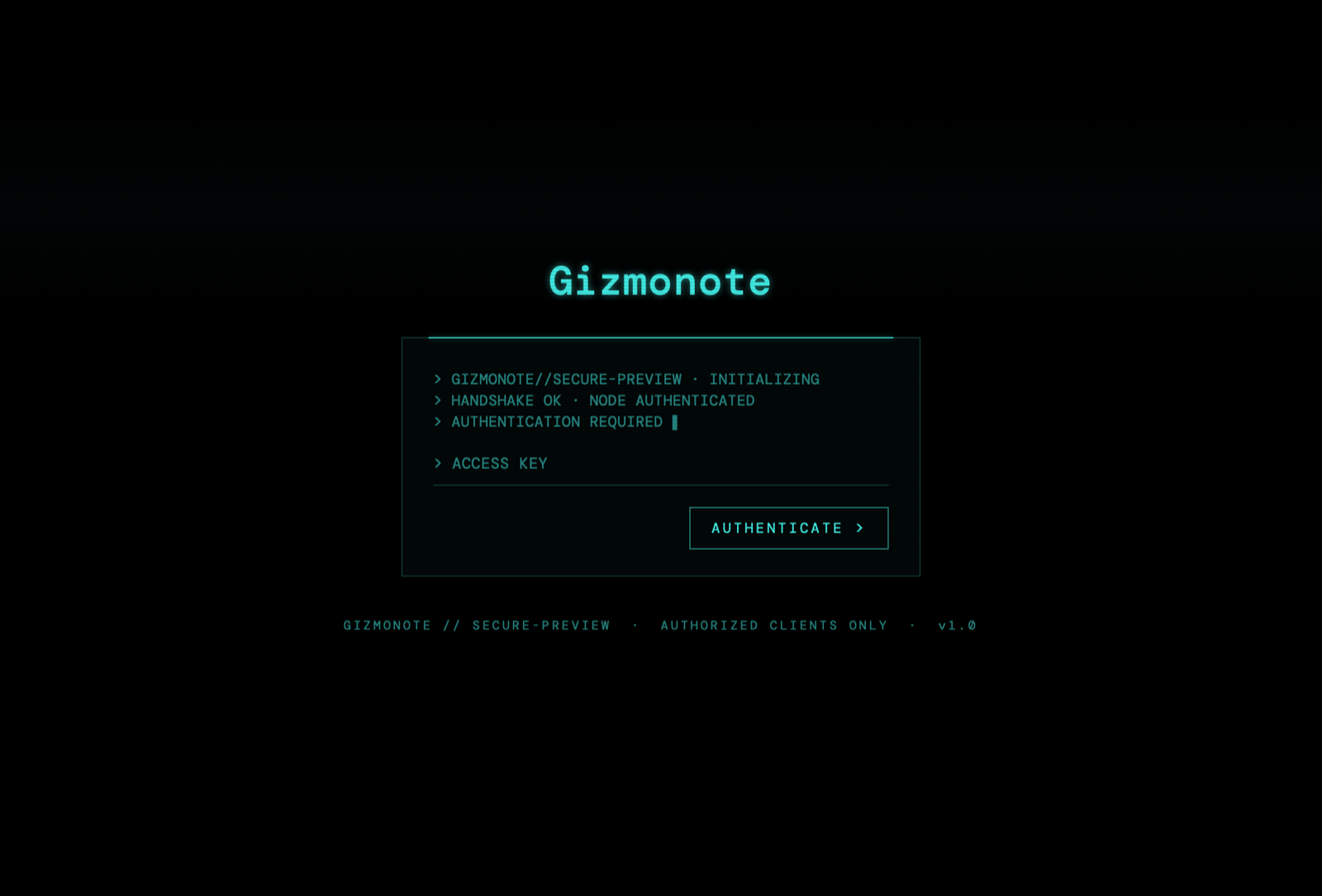
Put a staging site or review index behind the password pageso only your team gets in before launch. -
Star what matters, ship it out
Star the notes worth acting on and copy them outas text when it's time to build. Reviews turn into a clean punch list.
Install it with your AI agent
Using Cursor, Claude Code, Copilot, or any AI editor? Paste this in and let your agent wire Gizmonote into your site:
Add the Gizmonote review layer to my site. Right before </body>, insert:
The review index — one gallery for concept reviews
 Sign up to open →
Enable & disable
How it works
From install to actioning edits — the whole review loop, in order.
-
Drop in one script tag
Add Gizmonote to any app or website with a single tag. Grab the exact snippet on the install page— a lightweight loader for a live site, or always-on for a review build. -
No login to view or comment
Anyone with the link can browse and leave notes — no accounts, no sign-in. For a private client review, put the index behind the password page:
 Password page
Set the password with a per-project secret GIZMO_REVIEW_KEY(there's a one-liner on the install page); leave it unset and the review stays open. -
Browse the concepts index
Every concept and version lands in one gallery — the review index shown above. Each card carries a thumbnail and a live comment count.
The review index
-
Star your favorites
Click the star on any concept to mark it, then flip the Favoritesfilter to see only the ones you love. -
Leave a comment
Option-click
(Alt on Windows) anywhere on the page — on a phone, tap the pin and switch on commenting — to drop a note, then type and post. A plain click or tap just browses, so you never leave a note by accident. Each note auto-captures a screenshot of the exact spot, plus the device and viewport it was left on. 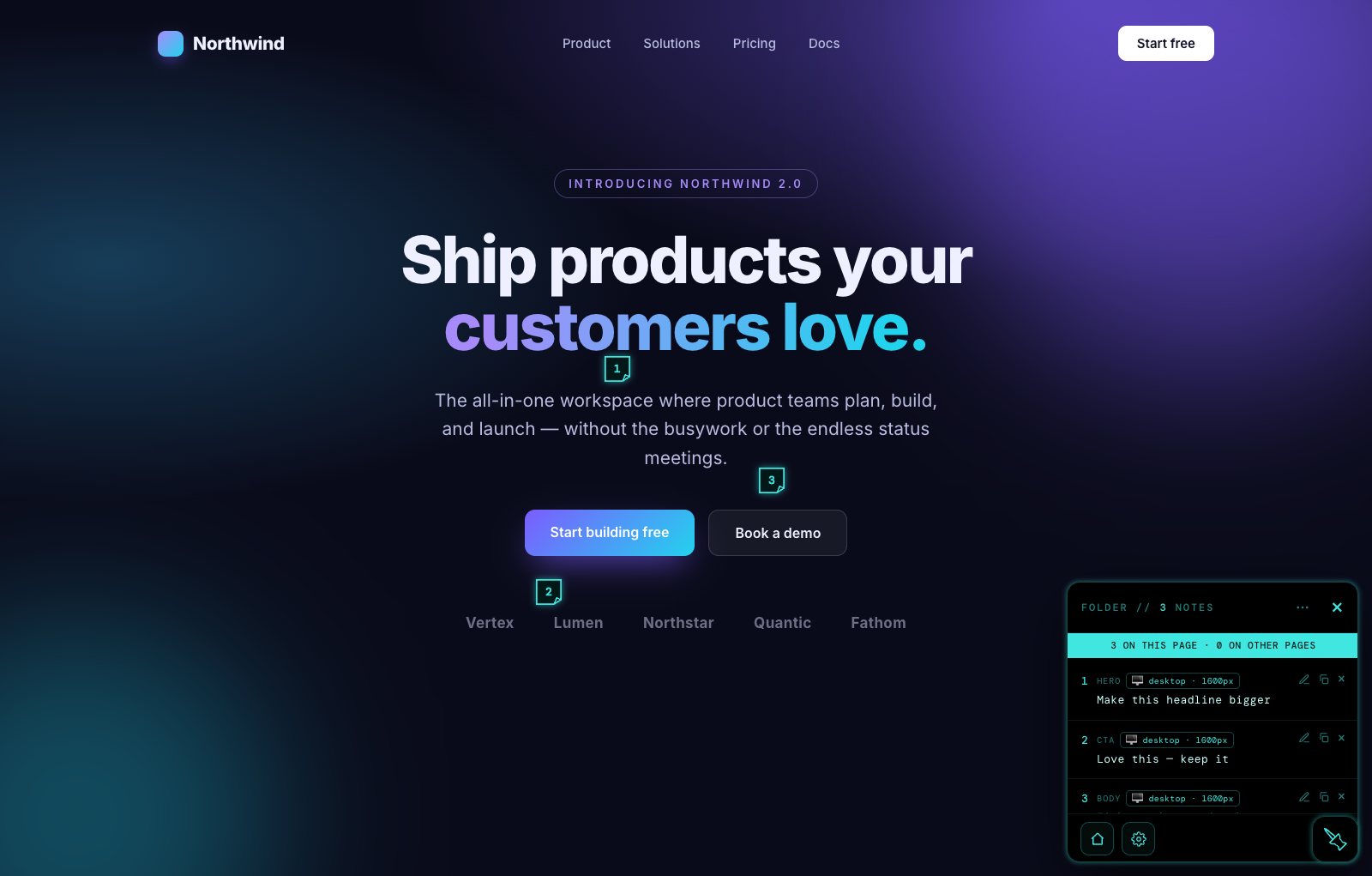 Notes on a concept
-
Copy the comments out
Copy Page
or Copy Everywherebundles every note into clean text and tells you exactly how many it grabbed — perfect for pasting straight into your favorite AI editor to action every edit at once. -
Back to your home page
The widget's home button always returns reviewers to your index. Point it at your live homepage once the site launches and the review index gracefully steps aside.
-
Turn it off, call it back
Add ?gizmooffto a URL to hide Gizmonote on that page(handy for comparing it clean) — the rest of the site is untouched. Add #gizmonoteto any page to wake it there whenever you need it. Removing it everywhere is just deleting the script. -
Remove it
Done reviewing? Delete the one script tag. Nothing else to undo, no trace left behind.
Shortcuts
Handy for anyone reviewing a page:
- Shift + click Leave a note anywhere on the page (a plain click just browses)
- double-tap On a phone, double-tap the page to leave a note (a single tap just browses)
- ⌘ / Ctrl + Enter Post the note you're writing
- Esc Close the note you're writing
-
#gizmo
Add to any URL to wake the review layer on a live site ( #gizmonoteworks too) -
?gizmooff
Add to a URL to hide Gizmonote on that page(e.g. to compare it clean) — other pages are unaffected
Endpoints
- GET/api/comments?page=&project= read comments
- POST/api/comments add a comment
- POST/api/upload image → /img/<key>
- GET/api/favorites?project= starred designs
- POST/api/gate review-index auth